 Emsisoft
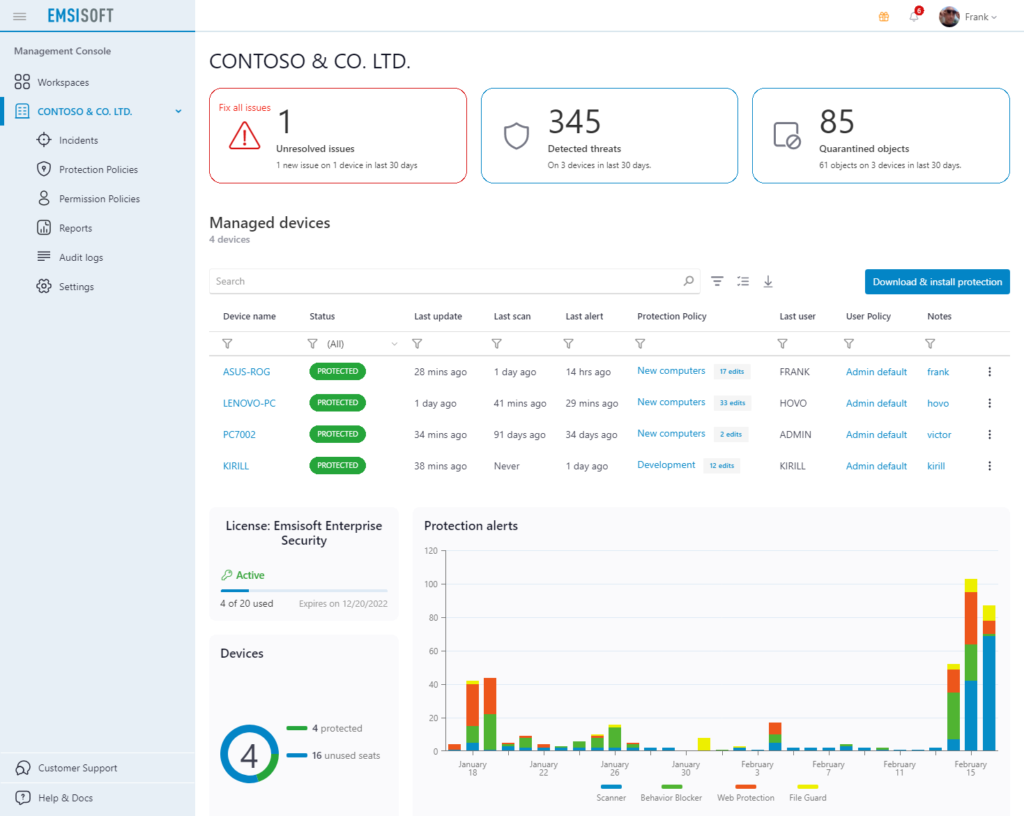
Accomplish more in less time. Emsisoft Management Console brings security management to a whole new level of simplicity. Manage the security for your company’s or clients’ endpoints with ease. With Emsisoft Management Console, you can access the exact same information and perform the exact same tasks as you could onsite.
Emsisoft Management Console
A completely free and easy-to-use web-console for managing the protection of all your endpoints, clients and sites.
Say goodbye to clunky, feature-limited consoles and desk visits
A single pane of glass
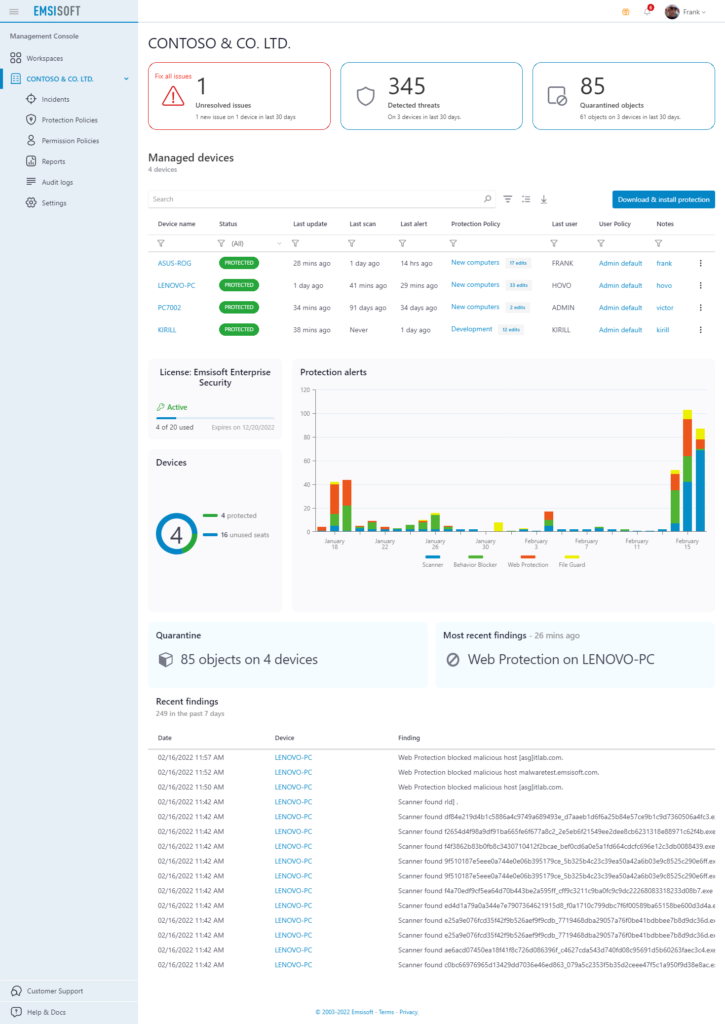
Manage all your endpoints via a single, intuitive dashboard. See and instantly respond to alerts, scans, updates, license usage, and more.
Remote security-management from any device
This is hands down the best cloud access I have ever seen with antivirus.
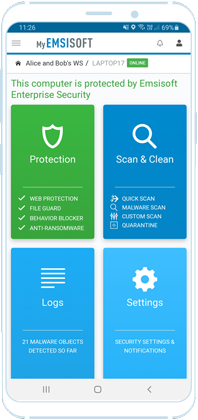
It is literally a mirror of what you see on the desktop.’
– Stedman Computer Solutions
Protected Device
Mobile App
Online Console
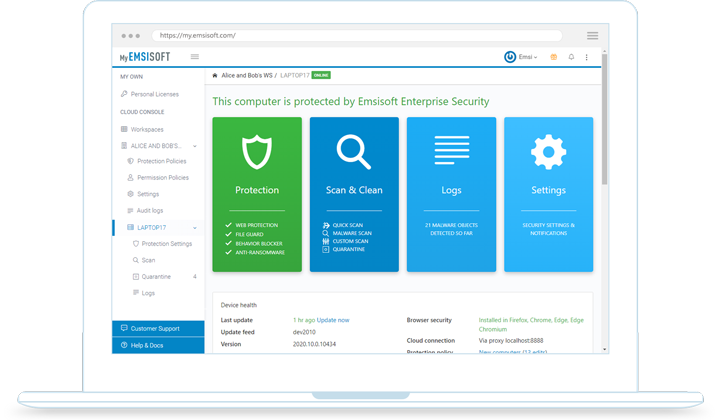
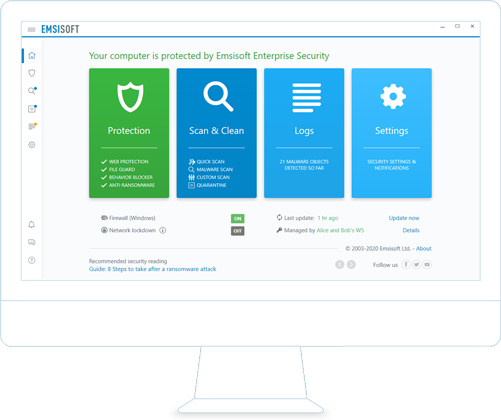
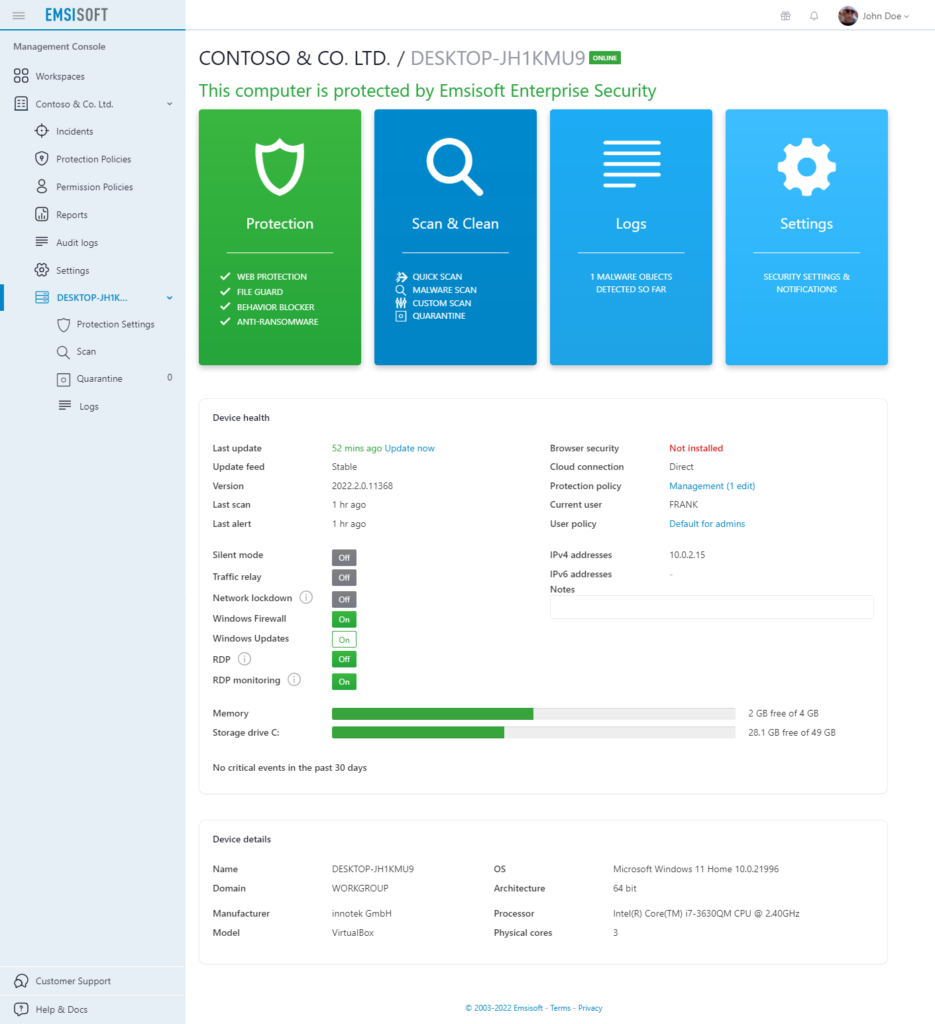
Manage your protected devices and respond to alerts anywhere, any time. Emsisoft Management Console can be accessed via any web browser or via apps for Android and iOS. See exactly what your users see. Being out of the office doesn’t mean you have to be out of touch.
Time savers for security admins
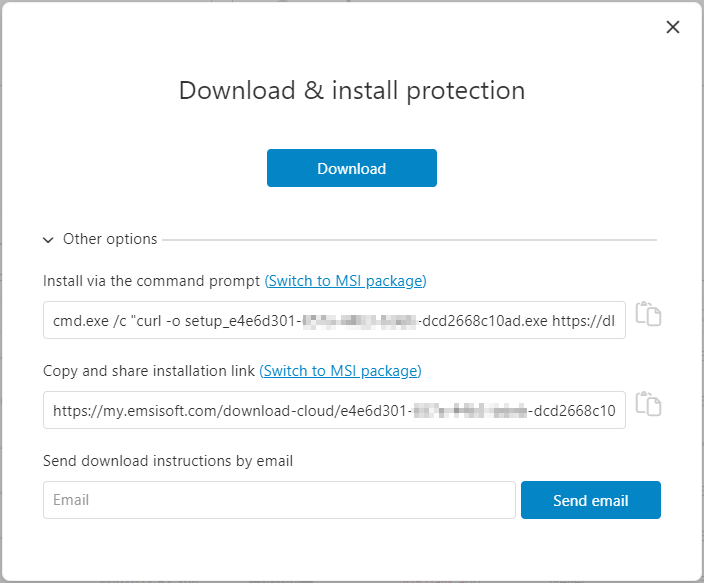
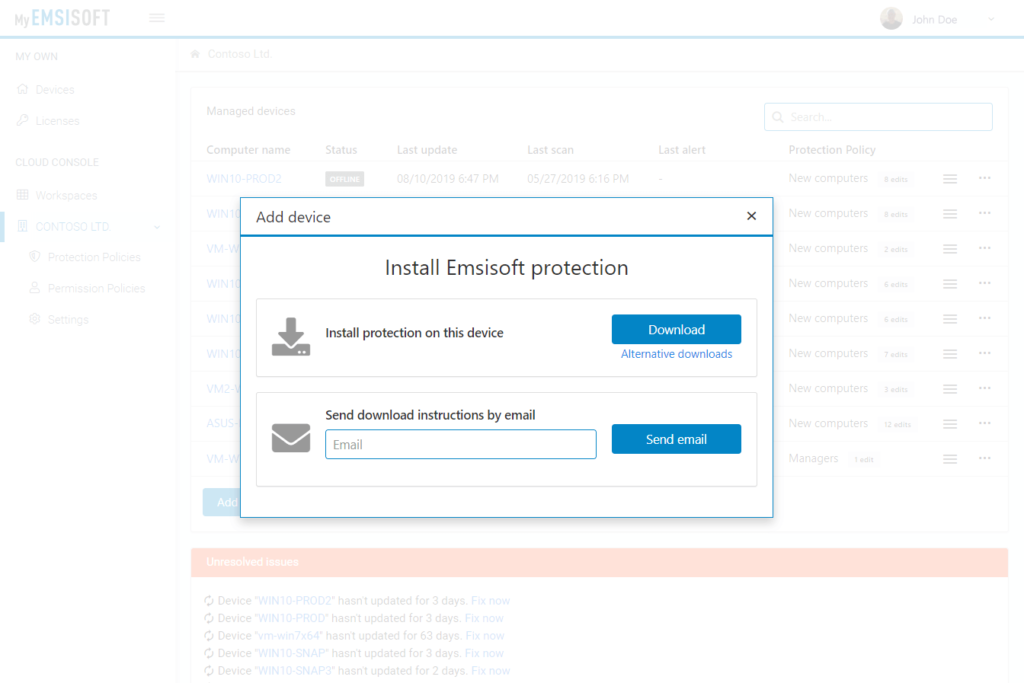
One-click deployment
Emsisoft Management Console makes deployment super-simple:
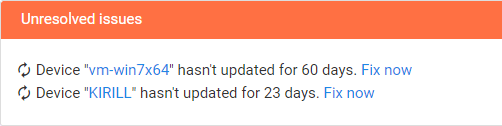
Quick-fix feature in dashboard
Use the dashboard to quickly fix disabled
protection, missing updates and other problems
without needing to be onsite.
Pushing productivity to a new level

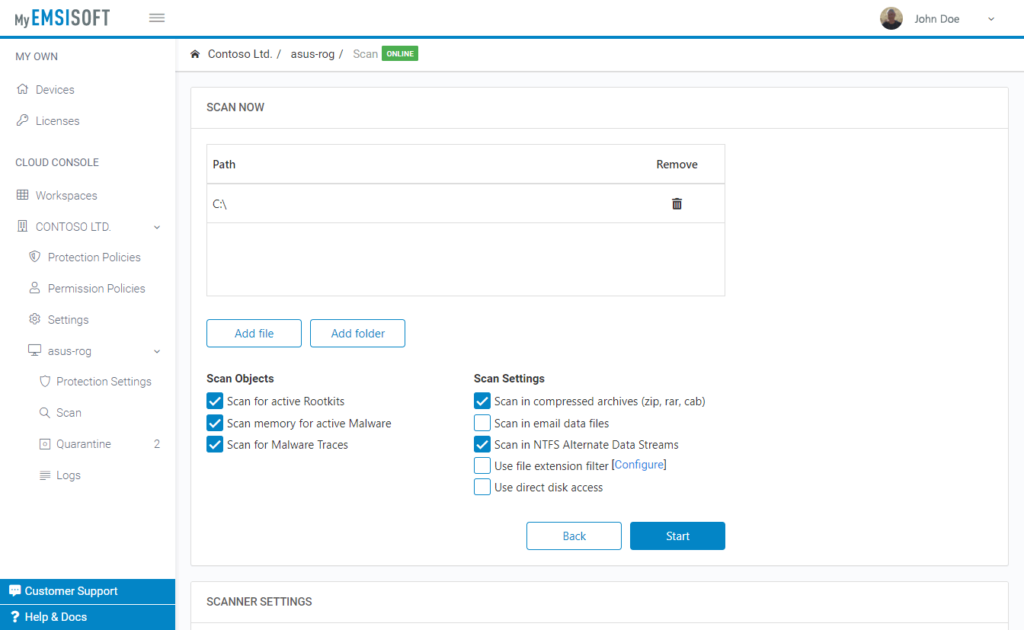
Initiate malware scans
All scan types with all available settings.

Real-time notifications
Get instant notifications of scan results via email or webhooks.

View and edit quarantined objects
Including re-scanning and submission to our malware lab.

Full forensic logs
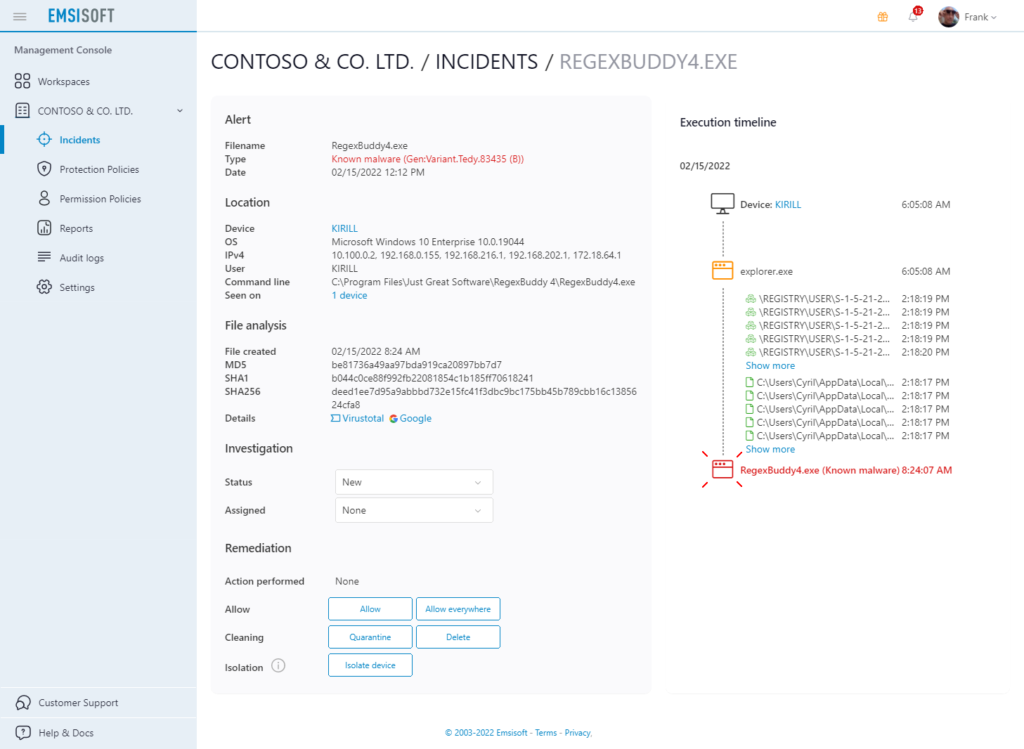
See exactly what happened and who triggered an action.

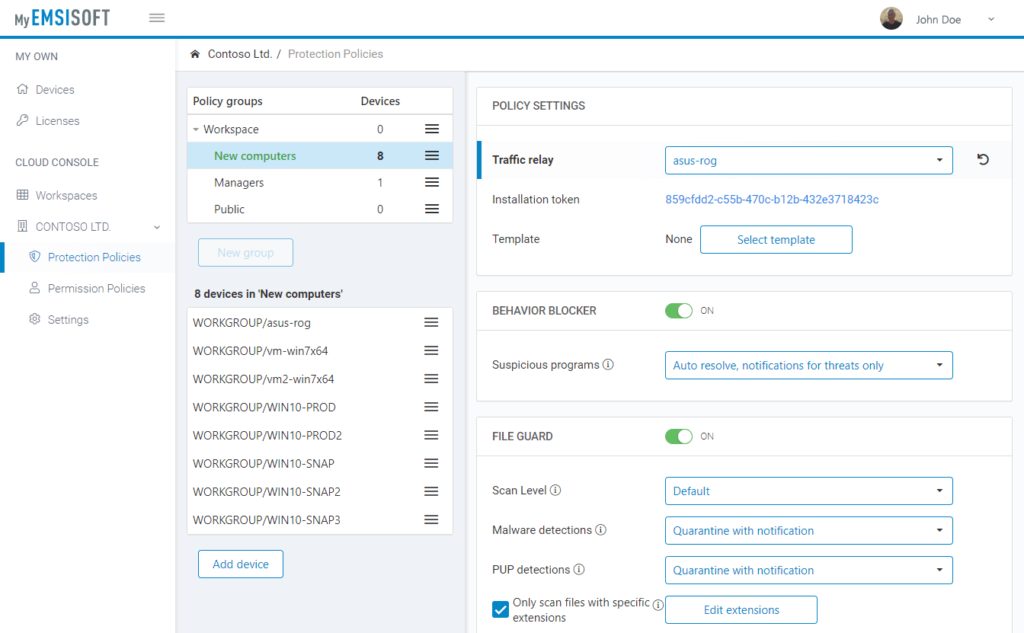
Custom protection policies
Apply team-based policies with ease.

Custom user permission policies
Set user- or team-based permission policies.

Custom device-specific settings
That can be set online or locally.

Multi-tenant workspace model
Define different user roles to access a workspace.

Safety & privacy
Designed from the ground up with security in mind.
Save precious bandwidth with the Relay feature
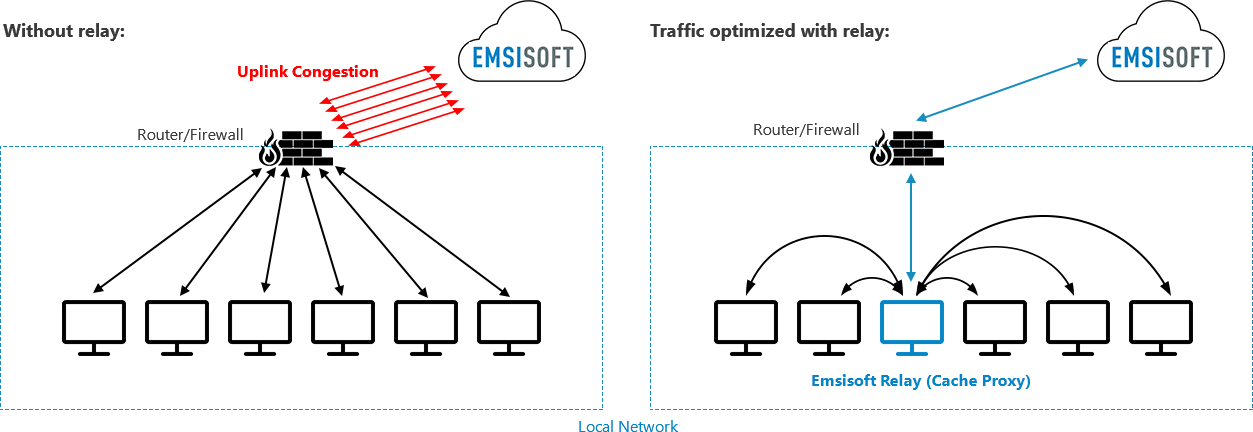
All devices download updates directly from the Internet, which may overload your local network capacity and also your uplink.
One or more of your devices are configured to act as a relay for all data transfers. Relays cache all downloads to reduce the total amount of internet traffic. Only data from and to Emsisoft servers is allowed.
Smart policy hierarchies
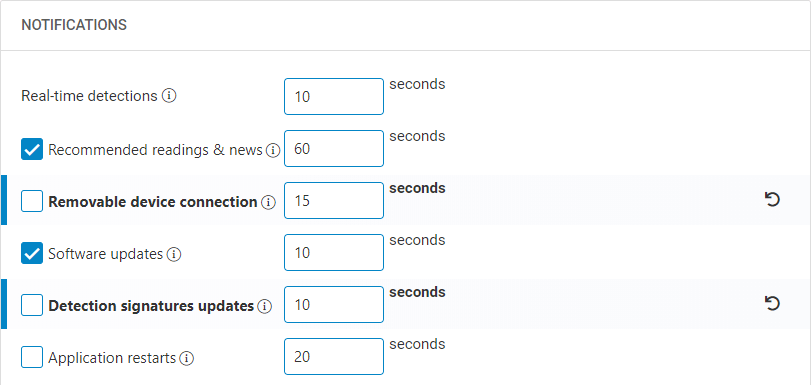
Policies in hierarchical order with inheritance and highlighting of
edits on each level. View details
How much is it?
Zero. Zilch. Nada. Emsisoft Management Console is completely free!
Multi-workspace highlights for Managed Service Providers (MSPs)
Multi-workspace dashboard
Stay ahead of potential protection issues and locate troublesome devices or expiring licenses with ease.
Quick workspace setup
Create new customer workspaces with all your preferred settings, policies, notifications, permissions and licenses with just a few clicks.
UI customizations
Change the software to your IT business needs. Display your contact details in the main window, hide license details, etc.
Personal policy templates
Manage your clients’ settings all at once with global policy templates. Share your templates with other admins in your team.
Our customer reviews speak for themselves
This is hands down the best cloud access I have ever seen with antivirus. It is literally a mirror of what you see on the desktop. Every other antivirus we’ve ever worked with it’s like 2 different teams of engineers work on the antivirus and the console which becomes very annoying when trying to do things.
I’ve been playing around with the console since yesterday. It’s amazing! So far I’m happy with this even if it stayed like this for features. It controls all aspects of the program and it’s leaps and bounds from anything else I’ve dealt with so far.
I also want to applaud the ECC. I’ve been hammering it and so far, it has done extremely well. Your team also responds quickly and has done an outstanding job on the design/implementation of ECC thus far.
I like the console, especially how it mimics the agent on the client machines. It’s pretty user friendly and easy to understand.
See how easy to use it is
See our video tutorials
Emsisoft Management Console


You might ask…
- Which product editions can be managed?
Emsisoft Management Console can be used to manage all Windows desktop and server protection products: Emsisoft Anti-Malware Home, Emsisoft Business Security and Emsisoft Enterprise Security.
- How can I automate deployment?
Each workspace has its own custom installer. When using that installer, newly added devices will automatically authenticate with your workspace. Use the /quiet parameter for invisible batch installations or create a Group Policy Object (GPO) configuration in your Active Directory domain. View Details
- How do I migrate my devices from Emsisoft Enterprise Console?
Simply log in at MyEmsisoft and create a new workspace for your organization. Then apply your license and download your custom installer. Run that installer on all your devices (e.g. silently via GPO) to seamlessly connect them to your cloud workspace. That’s it. Seconds later your devices will show up in your cloud management panel.
- What languages is the console available in?
Emsisoft Management Console is currently available in English, German and French.
- Where can I get answers to other questions?
Please contact us through one of our support channels:
Chat: Send us a message
Email: [email protected]
Help Portal: https://www.emsisoft.com/en/help/